Quick Start
Two minutes. Five steps. You need two devices to try it: yours and a friend's.
- Install the beta. On your iPhone, open the TestFlight link. Install TestFlight if asked, then tap Install.
- Read, then agree. Read Before you rely on Off-Grid Net. Tap I'm 18 or older and agree to the beta terms. HELP and 911 work right away, even before you agree.
- Say yes to Bluetooth. Allow Bluetooth. Allow Local Network too, so close devices can use fast Wi-Fi.
- Answer the Internet question. Off means Bluetooth and Wi-Fi only. On also uses public internet relays. You can change it any time in Settings.
- Get a friend close and hold to talk. When the status reads Connected · 1 nearby, press and hold the big button, speak, let go. You're off the grid.
Know the screen
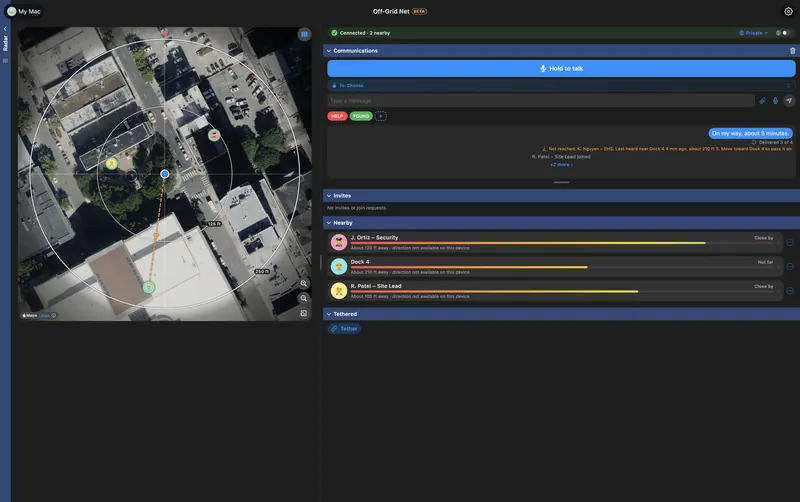
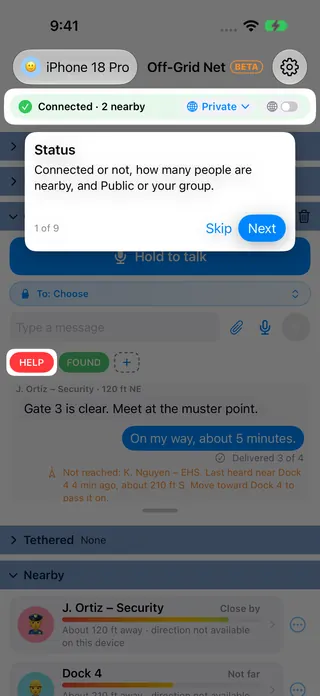
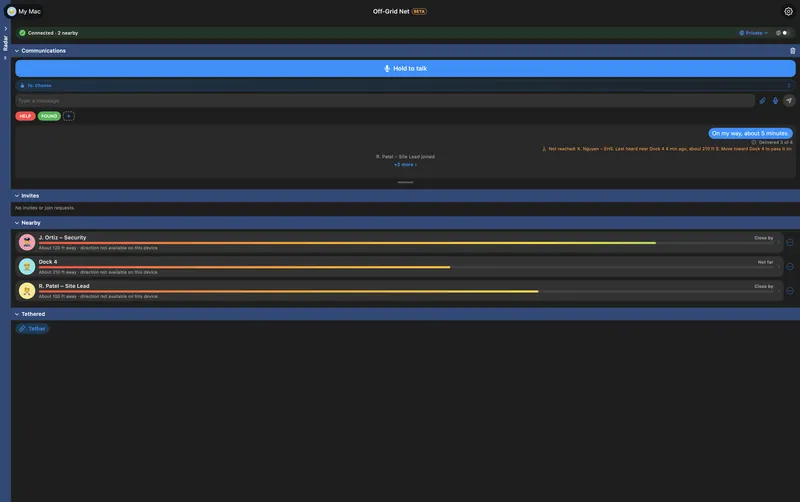
Status on top. The radar under it. Then Communications: who you're talking to, Hold to talk, the text box, and the HELP button. Nearby lists everyone in range.
Talk & message
Choose who hears you. Pick Public, a private group, or one person. Public is the shared room: anyone using Off-Grid Net can read it. Private groups and 1:1 are end-to-end encrypted (except push-to-talk voice, for now).
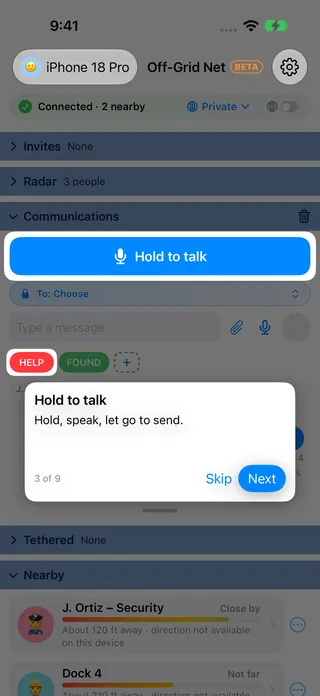
Hold to talk. Press, speak, release. Or type and send to the same people.
The message menu
Press and hold a message for Copy, Save, Share, Reply or Delete. Delete removes it from your device only, with a few seconds to Undo. It never deletes it for anyone else.
Clean slate, with a backup
Tap the trash button by Communications to delete all messages. Tap Back up first to save one .zip of your messages and photos wherever you choose. Restore from backup in Settings adds back what's missing and changes nothing else. On the watch, press and hold a message and choose Delete all.
Nearby & Tether
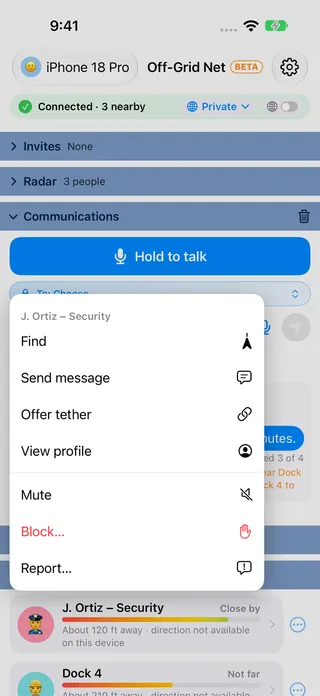
Everyone in range shows by name and photo.
Tap or press and hold a person to open their menu:
- Find: put them on your radar. Only if they share their location.
- Send message: a private chat with just them.
- Offer tether: stay connected and get alerts if you drift apart.
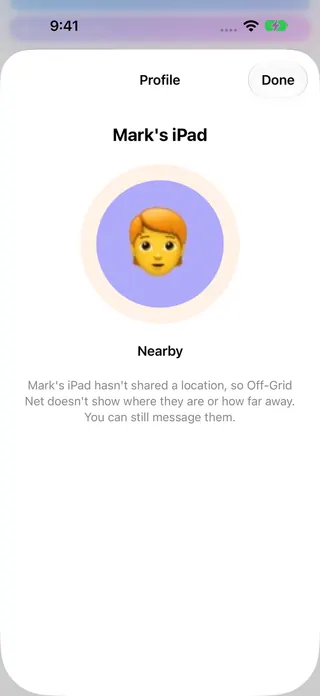
- View profile: their card.
- Mute, Block, Report: you decide who reaches you.
Nobody's tracked by surprise
If someone doesn't share, the app never shows where they are or how far away. When they stop sharing, their spot disappears right away.
Tether
Tether links two people. Both phones ask first. Your tethered person sees where you are and gets an alert if you move apart. You see a Tether icon while it's on, and one tap turns it off.
Safety buffer in Settings sets how early Tether tries to warn you before you hit the limit, so there's time to react.
Crash and fall detection works with Tether. When it detects one, you get 30 seconds to tap I'm OK. If you don't, your tethered people get an alert with your location. It's not a medical device, it doesn't call 911, and it can miss things or go off by mistake.
Only tether someone who wants it. Tracking someone without their consent is illegal. Tether can fail; it isn't a safety guarantee.
Radar & finding people
Share my location lives in Settings. On, people nearby, including strangers, can see you on their radar. In Public with Internet on, anyone can. Off, you vanish from it.
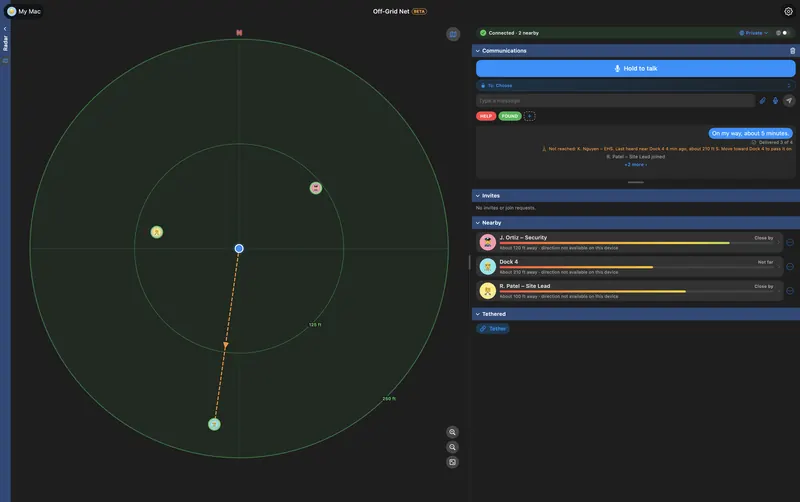
You're always at the center, at every zoom. Pinch to zoom. Drag to look around. Zoom way out and it switches to a whole-world picture.
Find on map
Tap FOUND to send your location. Press and hold a FOUND message, then tap Find on map. A green line and pin hold that spot in view, and a card shows an arrow, how far, and which way. They update as you move. Tap Stop when you're done.
Precise finding
Within about 30 ft, two iPhones with Ultra Wideband (iPhone 11 or later) measure distance to about ±1 ft. Otherwise it's GPS: about ±15 ft, or ±7 ft standing still. Estimates can be much worse. Don't bet an emergency on them.
Sideways, iPad and Mac
Turn your iPhone sideways and the top bar hides so the radar gets more room. Settings is the gear at the end of the status line. HELP stays put.
On iPad and Mac, the radar sits beside the chat. Fold it sideways into a tab when you want the room. Tap the tab to bring it back.
Photos, video, voice & files
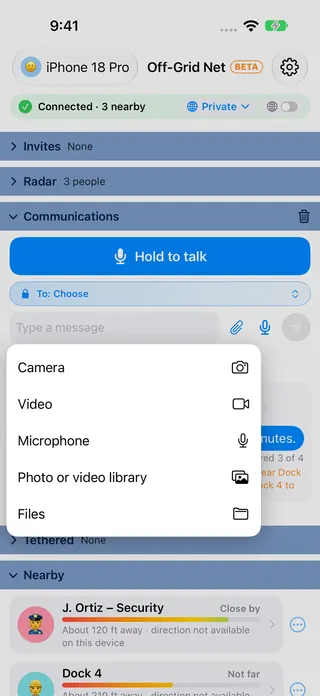
Tap attach and pick Camera, Video, Microphone, Photo or video library, or Files. It goes where your text would go: Public, your group, or one person.
Voice: Private push-to-talk voice is not end-to-end encrypted yet; anyone nearby with the right tools could hear it. Don't use it for sensitive talk.
No file size limit. Send a snapshot or a 300 MB video. You see progress and can cancel. Transfers resume. Keep the app open and in range.
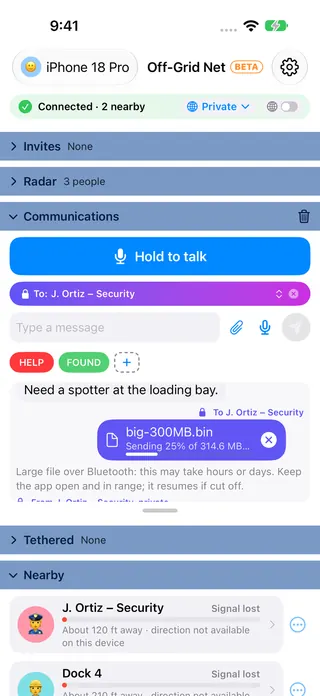
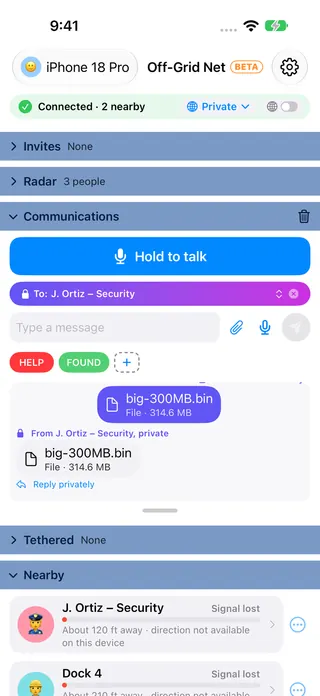
Wi-Fi makes it fast. Over Bluetooth a big file can take many minutes. When two iPhones, iPads or Macs are close, they also talk over Wi-Fi, phone to phone. No router, no internet. Photos come through quicker and sharper.
Photos are cleaned first. The app shrinks them and strips the hidden location and camera details.
Tap a photo to open it, pinch to zoom, tap ✕ to close. Press and hold for Save to Photos, Share, Copy, Reply or Delete.
HELP and 911 always go first. The other phone needs free space; if it's short, it says so. Anyone you send a photo to can save and share it.
HELP & 911
Off-Grid Net is not an emergency service, and nobody monitors it. In an emergency, always call 911 directly.
- HELP
- Alerts the people you pick. It never opens your dialer or calls 911.
- +911 (iPhone and Apple Watch)
- Sends HELP, then opens your dialer. With no signal it shows "No signal. 911 may fail."
- Call 911
- Only opens your dialer, without sending HELP. You place the call, on your phone's own service.
- Android
- Android has no +911. Send HELP, then tap Call to dial 911.
HELP and 911 work right away, even before you agree to the terms. HELP always goes first, and never waits for Wi-Fi.
Public HELP
Anyone nearby can read a Public HELP. It's unverified and may be late or missed. If you go, it's at your own risk. Don't go alone. New means the account is under a day old; it isn't a safety check.
Reports
Reports pass phone to phone. No server, and we don't see them. When 3 people whose accounts aren't New report someone, that person's HELP is muted nearby for 24 hours. Only HELP is muted. 911 is never blocked.
For real emergencies only. False alerts can be a crime.
Range, reach & the internet
Bluetooth reaches people close by. Wi-Fi kicks in between close iPhones, iPads and Macs (or two Android phones) and is much faster. iPhone and Android stay on Bluetooth with each other. If Wi-Fi drops, Bluetooth keeps going.
Public reach sets how far away a Public post can be and still show. Farther posts fold into "+N more". 0 turns Public off. Over 13,000 mi is Worldwide. Auto sets it by how many people are nearby. HELP shows first, then tethered and private messages, then nearby Public.
Internet is off until you say so. On, messages, HELP, voice, FOUND and your location also go through public relays run by others. Those relays see your IP address and rough area and may keep data. Private groups and 1:1 stay end-to-end encrypted (except push-to-talk voice, for now). Photos stay on Bluetooth.
| What | Bluetooth | Wi-Fi, device to device | Internet relays (if on) |
|---|---|---|---|
| Messages, voice, HELP, FOUND, location | Yes | Yes | Yes |
| Photos | Yes, slower | Yes, faster and sharper | No |
Privacy, in plain English
- Private is private. Private groups and 1:1 messages are end-to-end encrypted (except push-to-talk voice, for now).
- Public is public. Public posts (HELP, voice, FOUND, location, names) can be read by anyone using Off-Grid Net. Don't post what you wouldn't say out loud.
- People nearby see your display name. They see your location only if you share it.
- Internet is your call. Off by default. On, public relays run by others can see your IP address and rough area.
- Photos are scrubbed. Hidden location and camera details are removed before sending.
- Delete means your device. Messages may stay on other people's phones and backups for a while.
- Reports and motion data stay on phones. No server. We don't see reports.
Every detail: Privacy Policy.
FAQ
Does it need cell service or internet?
No. It talks device to device over Bluetooth and Wi-Fi. Internet is only used if you turn it on.
Does HELP call 911?
No. HELP never opens your dialer or calls 911. On iPhone and Apple Watch, +911 sends HELP, then opens your dialer. Call 911 only opens your dialer without sending HELP.
Who can see what I post in Public?
Public is the shared room. Anyone using Off-Grid Net can read it.
Can people see where I am?
Only if you turn on Share my location in Settings, or agree to a Tether. Turn it off and your spot disappears right away.
Is there a file size limit?
No. Big files take longer. Keep the app open and in range. Transfers resume.
Can I delete a message for everyone?
No. Delete removes it from your device only.
What can I run it on?
The TestFlight beta runs on iPhone, iPad, Mac and Apple Watch.
Where's this manual in the app?
Settings → About → Manual. It works with no signal.
Troubleshooting
Nobody shows up in Nearby
- Both of you need Off-Grid Net open, with Bluetooth on.
- In iPhone Settings → Off-Grid Net, allow Bluetooth and Local Network.
- Get closer. Walls, cars and crowds cut the range.
- Still nothing? Quit the app on both devices and open it again.
A big file is slow or stalls
- Keep the app open and stay in range. Transfers resume.
- Allow Local Network so close Apple devices can use Wi-Fi.
- iPhone to Android stays on Bluetooth, which is slow for big files.
- The other phone needs free space. If it's short, it says so.
I can't find someone on the radar
They need Share my location on. If they don't share, the app never shows where they are.
Precise finding isn't working
It needs two iPhones with Ultra Wideband (iPhone 11 or later), within about 30 ft. A change takes effect the next time the app starts.
I deleted everything by mistake
Tap Undo right away. If you made a backup, use Restore from backup in Settings.
Something else is broken
Tell us on the Support page. In TestFlight you can also send a screenshot as beta feedback.